
CoachSuit blog
Published June 6, 2026
How to Choose a Personal Trainer App
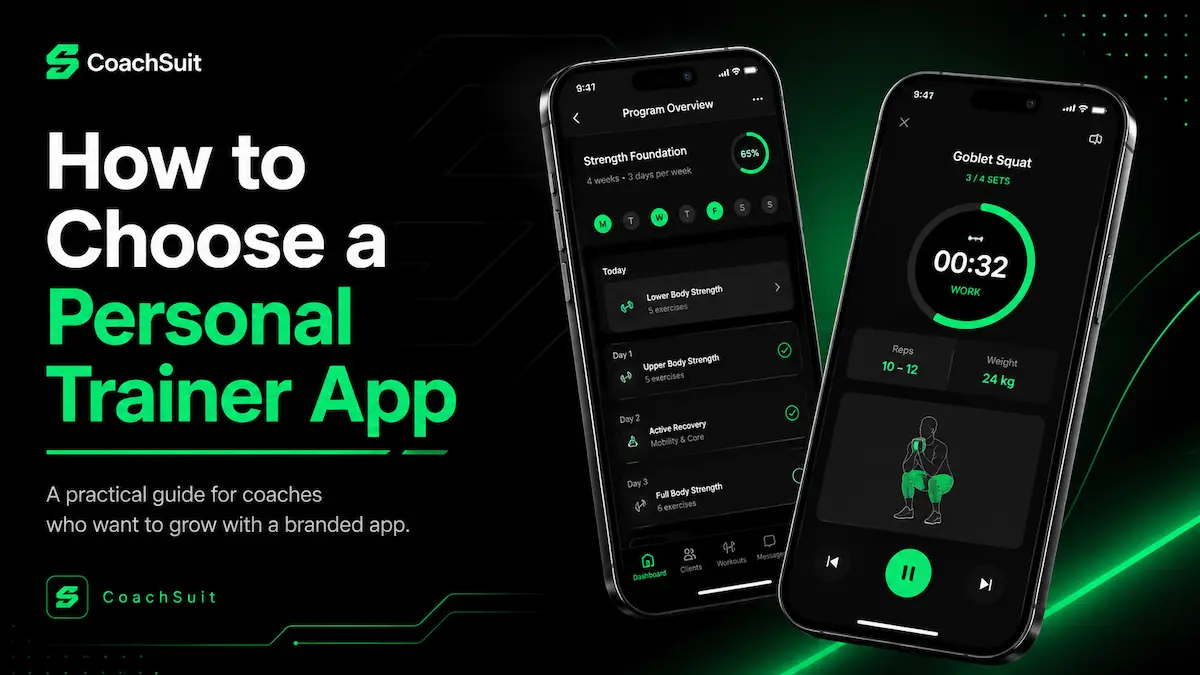
Many personal trainers still deliver workouts through PDFs, WhatsApp messages, email attachments and folders spread across different devices. That approach can work for a short time, but it becomes harder to manage as client numbers grow, programs become more detailed and clients expect a clearer way to follow training between sessions.
A personal trainer app gives clients a dedicated place to access workouts, exercise guidance, nutrition content and recorded progress from their phone. For the trainer, it can reduce repeated admin work and create a more organized coaching workflow.
The right fitness coaching app depends on how you coach, who your clients are, what content you deliver and how strongly you want your brand to show up in the client experience. A tool that fits one online coach may feel unnecessary for a trainer who only sees clients in person twice a week.
This guide explains what to evaluate before you choose an app for personal trainers, so you can compare options based on practical delivery needs rather than marketing language alone.
If you are still delivering through files and messages, Online Coaching App vs PDFs and WhatsApp compares that workflow with app-based delivery.
What is a personal trainer app?
A personal trainer app is a mobile experience where clients open your coaching content on iOS or Android instead of searching through messages and files. Depending on the platform, that content can include workouts, programs, exercise instructions, recipes and recorded training history.
Not every fitness coaching app is built for the same business model. Some tools focus on basic workout sharing. Others are designed for branded delivery, structured programs and a wider client experience. Before comparing features, it helps to understand what kind of mobile app experience you actually want clients to use.
Think of the app as the front door to your digital coaching. Clients should know where to find today's workout, how to review an exercise and where to check what they completed last week. When that experience is clear, the app supports your coaching instead of competing with it.
Start with your coaching model
The first step in choosing an online coaching app is not feature comparison. It is clarity about how you deliver coaching today and how you want to deliver it over the next year.
Some trainers work mostly in person and need clients to stay on track between sessions. Others run fully remote programs and need structured digital delivery from day one. Hybrid coaches often need both: in-person relationship building plus organized follow-through during the week.
Your model also shapes content volume. A trainer selling ready-made programs may need repeatable structures and clear program navigation. A coach delivering highly personalized plans may need flexibility to adapt workouts for different clients without rebuilding everything from scratch.
If online coaching is a core part of your business, the app should make remote follow-through feel intentional rather than improvised. If your offer is premium and highly personal, the client experience should feel professional and consistent with your brand.
Look for structured workout and program delivery
One of the most important differences between a useful workout program app and a basic file-sharing tool is structure. Clients should understand what to do, when to do it and how each workout fits into the wider plan.
Sending exercise lists without context can create confusion. Structured workout and program delivery means workouts are organized into programs, sessions have a clear order and clients can follow the plan from their phone without asking you to resend files.
Structure also helps you scale content delivery. Once your program framework is organized inside the app, you can reuse it, adapt it for different client types and keep the coaching experience consistent.
- Can you organize workouts into programs?
- Can clients follow workouts from their phone?
- Can the app support repeatable program structures?
- Can you adapt content for different clients?
Make exercise guidance easy to understand
Exercise names alone are often not enough, especially for clients training on their own between sessions. Clear guidance reduces back-and-forth messages and helps clients feel confident about what they are supposed to do.
Look for platforms that support exercise video guidance together with written instructions. Video helps clients see movement examples, while text can explain setup, tempo, rest periods or coaching cues you want them to remember.
Exercise guidance is especially valuable for remote clients, travelers and anyone training outside your direct supervision. It does not replace hands-on coaching, but it gives clients a reference point when you are not in the room.
Avoid assuming that any app video feature automatically improves training quality. What matters is whether the guidance is easy to find, easy to understand and connected to the workout the client is doing right now.
Decide whether nutrition content matters to your offer
Some trainers focus entirely on training content and do not want nutrition features in the client app. Others want to share practical food support such as recipes and meal ideas that match the coaching relationship they already provide.
Before you compare apps, decide what nutrition support you actually offer. If you only discuss nutrition in conversation, you may not need nutrition content inside the app. If recipes and meal ideas are part of your client experience, the app should support that without forcing you into tools you do not use.
CoachSuit supports recipes and meals as nutrition content inside the app. It is not positioned as a meal plan generator, calorie tracker or macro tracking tool. That distinction matters if your offer is guidance and practical food ideas rather than detailed diet tracking.
Choose an app that reflects your real nutrition scope. Adding features you do not use can clutter the client experience. Leaving out content your clients expect can make the app feel incomplete.
Check how client progress is recorded
Progress visibility helps both you and your clients see training history, consistency and meaningful signals over time. It supports better conversations in check-ins and gives clients a reason to return to the app beyond today's workout.
Useful client progress tracking can include completed workouts, logged weight and other training activity your coaching model already uses. The goal is visibility and organization, not a promise that one metric alone will define client results.
Ask how progress appears on the client side and on your side as the coach. If clients cannot easily see what they have done, the app may not change behavior much. If you cannot review activity efficiently, the feature may create more work instead of less.
Progress tracking works best when it fits your coaching rhythm. A weekly check-in coach may need different visibility than a coach running a structured multi-week program with frequent touchpoints.
Choose between a generic tool and a branded app
Generic tools can be useful when you only need basic workout delivery and you are still testing your digital workflow. They may be enough for early-stage coaches who want simplicity above brand presentation.
A branded fitness app connects the client experience to your business through your logo, colors and visual identity. That can matter when clients pay for a premium coaching relationship and expect the app to feel like an extension of your brand rather than a third-party platform.
Branding is not only visual design. It also affects trust. When clients open an app that looks and feels like your coaching business, they may take the digital experience more seriously and use it more consistently.
For a structured comparison of generic and branded paths, read Branded Fitness App vs Generic Coaching App and White-Label Fitness App for Trainers.
If you are unsure which direction fits, compare app options based on delivery needs first, then branding. Some trainers start with basic delivery and move to a branded app later. Others want branded delivery from the beginning because client perception is part of the offer.
Think about the client experience, not only the trainer dashboard
It is easy to evaluate personal trainer software based on admin features, content upload tools and backend organization. Those matter, but clients experience the app on their phone, usually in short sessions between other parts of their day.
The client experience is what keeps the app useful. Clients should quickly find programs, workouts, exercise guidance, recipes and progress without hunting through confusing menus. If the app feels cluttered or unclear, many clients will return to messages and files even if the trainer dashboard looks impressive.
Mobile usability matters. Navigation matters. Consistent content organization matters. Before you decide, imagine a new client opening the app for the first time on a busy weekday. Can they understand where to start in under a minute?
A strong trainer dashboard cannot compensate for a weak client experience. The best app choice is usually the one that makes coaching content easiest for clients to use consistently.
Review setup, launch and support
Feature lists do not tell the full story. You also need to understand setup time, branding work, publishing requirements, support after launch and what happens when you want to update content or add modules later.
Ask what the launch process requires from you. Some platforms expect you to prepare all content before setup begins. Others include initial design personalization and launch support as part of the service. Clear expectations prevent frustration later.
Publishing on iOS and Android is a practical consideration for many trainers. If mobile access is central to your offer, confirm whether the platform supports both app stores and what that process involves.
Review pricing and launch options with the same practical mindset you use for features. A lower upfront price may mean more content preparation on your side. A higher-touch setup may save time if you want help with branding direction and launch planning. You can also book a free demo to discuss modules, timelines and support before committing.
For CoachSuit, a typical launch takes 2-4 weeks depending on selected modules, content preparation and feedback speed. That range is useful for planning, but your timeline may differ based on how ready your content is when setup begins.
Questions to ask before choosing a personal trainer app
Use the checklist below when you talk to providers or review product pages. It keeps the conversation focused on delivery, client experience and launch reality rather than generic feature marketing.
- Can the app use my brand identity?
- Can clients follow structured programs?
- Can I include exercise video guidance?
- Can I share recipes or meals if that fits my offer?
- Can clients or trainers view recorded progress?
- Is the app available for iOS and Android?
- What support is included after launch?
- What does setup require from me?
- Does the app fit in-person, online or hybrid coaching?
Where CoachSuit fits
CoachSuit is designed for trainers, online coaches and gyms that want a branded mobile app experience rather than a generic content-sharing workflow. Depending on selected modules, it can support workouts, programs, exercise guidance, recipes and recorded progress inside one client-facing app.
It tends to fit fitness businesses that care about branded delivery, mobile client access and a structured coaching experience. CoachSuit for personal trainers is often relevant when you want clients to follow programs, review exercise guidance and stay connected to your visual identity between sessions.
CoachSuit includes initial design personalization and launch support, with ongoing maintenance and priority support available through CoachSuit Club. That can be helpful if you want help publishing and maintaining the app rather than managing every technical detail alone.
CoachSuit may not be the right fit if you only need a simple spreadsheet, a messaging workflow or the lightest possible file-sharing setup. In those cases, a full branded app may be more than you need right now.
If you want to explore whether the platform matches your coaching model, you can book a free demo to discuss modules, branding direction and launch options without assuming a one-size-fits-all setup.
Final takeaway
Choosing a personal trainer app works best when you start with your coaching model, client experience and content needs. The longest feature list is not automatically the best fit.
Look for structured workout delivery, clear exercise guidance, practical nutrition content if you offer it, visible progress recording and a client experience that feels easy on mobile. Then review setup, branding, publishing and support with the same level of attention.
The right app is the one that helps you deliver coaching clearly and consistently. Compare options against your real workflow, then choose the platform that supports how you actually coach.
Personal trainer app FAQ
- What should I look for in a personal trainer app?
- Look for structured workout delivery, exercise guidance, mobile usability, branding options, progress visibility, support and pricing clarity. The right app depends on how you coach and what kind of client experience you want to deliver.
- Do personal trainers need a branded app?
- Not every trainer needs a branded app. A branded app becomes more useful when you want your programs, guidance and client experience to feel connected to your own coaching business.
- Can a personal trainer app support online coaching?
- Yes. A personal trainer app can support online coaching by giving remote clients access to workouts, programs, exercise guidance and recorded progress through a mobile experience.
- Can CoachSuit include nutrition content?
- CoachSuit supports recipes and meals as nutrition content inside the app. It is not presented as a meal plan generator, calorie tracker or macro tracking tool.
- How long does it take to launch a CoachSuit app?
- A typical CoachSuit launch takes 2-4 weeks, depending on selected modules, content preparation and feedback speed.
Ready to explore a branded personal trainer app?
Book a free demo to discuss your coaching model, app modules, branding direction and launch options.
Book a free demo