
CoachSuit blog
Published July 5, 2026
How to Launch Your Own White Label Coaching App
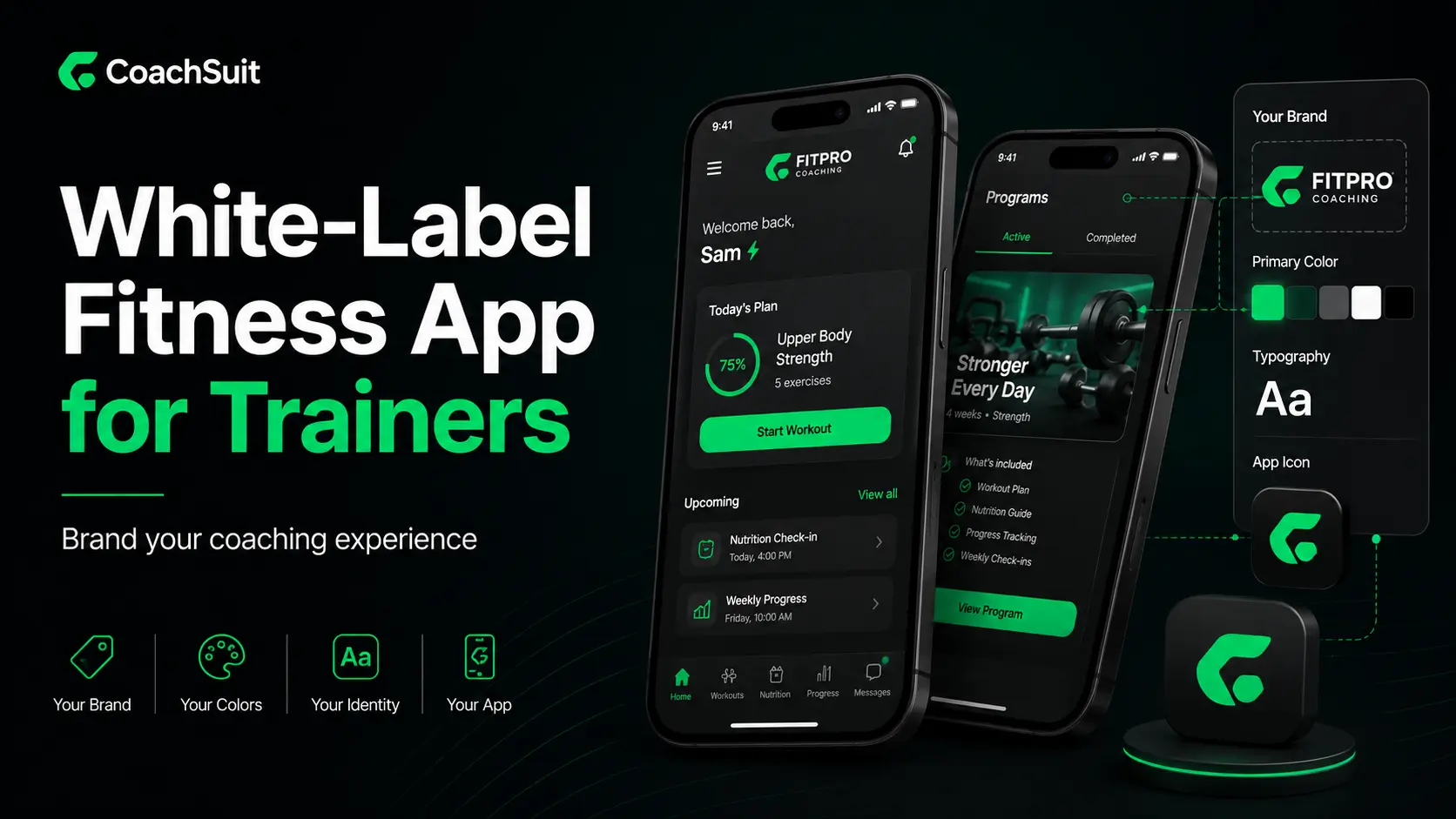
Personal trainers, online coaches and gym owners increasingly want a mobile experience that carries their brand, not a generic platform where their business feels like a small label. A white label coaching app can deliver workouts, exercise guidance and supporting content inside an experience personalized around your logo, colors and visual identity.
The opportunity is real, but launch is not only about picking software. You need a clear process for branding, content preparation, publishing on iOS and Android, client onboarding and ongoing maintenance. Without that structure, even a polished app can underperform because clients never learn how to use it or why it matters.
This guide explains how to launch a white label coaching app from planning through go-live. It covers the launch process step by step, what branding should include, how publishing works, how to onboard clients after launch, common mistakes to avoid and a practical checklist you can use before you commit to a provider.
If you are evaluating platforms, start with what a white label coaching app actually includes, then work backward from the client experience you want on day one.
What is a white label coaching app?
A white label coaching app is a mobile app experience that can be branded around your coaching business or gym. Instead of sending clients to a shared platform where your identity is secondary, the app reflects your logo, colors and visual direction while delivering the fitness content you choose to include.
White label does not usually mean you own the full source code or build every screen from scratch. In most cases, it means you launch faster on an existing platform that supports branding, selected fitness modules and publishing to app stores. The trade-off is less custom development in exchange for a more practical path to market.
For trainers and online coaches, the app often becomes the main place clients open workouts, revisit exercise instructions and see recorded progress. For gyms, it can extend the member experience beyond the training floor with programs, guidance and simple lifestyle content under the gym brand.
The term white label is sometimes used loosely. Before you sign an agreement, confirm what branding includes, which modules are available, who handles publishing and what happens after launch. A branded shell with no useful content will not improve client retention on its own.
Why coaches and gyms launch a branded coaching app
Most fitness businesses do not launch an app because they want more software. They launch because client delivery has become scattered. Programs live in PDFs, exercise videos sit in message threads and progress notes are spread across spreadsheets, screenshots and check-in forms.
A white label coaching app can bring selected content into one branded mobile experience. Clients know where to find today's workout, how to follow each exercise and where to revisit guidance between sessions. That clarity supports professionalism and reduces repeated admin work for the coach or gym team.
Branding also matters for positioning. When clients or members open an app that matches the business they already trust, the digital experience feels connected to the offer rather than borrowed from a third-party tool. That can support premium pricing, clearer onboarding and a more consistent client journey.
None of this replaces coaching quality, sales or retention strategy. An app is a delivery layer. It works best when you already have a defined offer, content you can maintain and a plan for introducing clients to the experience after launch.
What to prepare before you start the launch process
Launch goes faster when you prepare the right inputs before design and setup begin. The most common delay is not technical. It is missing brand assets, unclear module choices or content that still lives in old folders and needs to be organized first.
Start with your audience and offer. Are you launching for one-to-one clients, an online group, gym members or a hybrid model? The modules you enable and the onboarding message you use should match how people actually work with your business.
Gather brand assets early: logo files, color references, typography direction if relevant and any visual examples that reflect how you want the app to feel. Even simple branding decisions move faster when they are documented instead of debated during setup week.
Decide which fitness content belongs in version one. Most launches do better with a focused first release: structured workout programs, clear exercise guidance and basic progress visibility. You can add recipes, meals or more advanced modules later if they fit your model.
Finally, define who owns content preparation, client communication and post-launch updates. If nobody on your team is responsible for maintaining programs after go-live, the app will look polished on launch day and stale a month later.
Step-by-step: how to launch a white label coaching app
Every provider has a slightly different workflow, but strong launches follow the same practical sequence.
Step 1: Discovery and scope. Clarify your audience, selected modules, branding goals and launch timeline. A smaller focused launch usually beats a bloated first release clients never fully adopt.
Step 2: Brand and design personalization. Submit logo files, colors and visual direction. Review branding on workout screens and exercise detail views, not only marketing mockups.
Step 3: Content setup. Add exercises, workouts, programs and any other modules clients will use at launch. Build what they need for the first four to six weeks, not an entire library you will never maintain.
Step 4: Internal testing. Open the app the way a client would. Check navigation, workout readability, video playback and progress logging on both iOS and Android if both are included.
Step 5: Publishing. Prepare store listings, screenshots and the submission workflow. Confirm who handles app store review feedback and what lead time to expect.
Step 6: Client onboarding. Introduce the app before clients rely on it. Explain what changed, where to find the first program and how to get support. Launch day starts adoption work, not ends it.
With CoachSuit, a typical launch takes 2-4 weeks depending on selected modules, content preparation and feedback speed. See the full white label app launch process for a provider-specific view.
Branding your white label coaching app
Branding is more than placing a logo on a splash screen. Clients notice when the mobile experience feels connected to the coach or gym they hired, especially online where the app may be your most visible touchpoint.
Confirm how your logo, app name presentation and color palette appear across the core client journey. Ask to see branded workout screens, not only marketing mockups. Keep visual choices aligned with your website, social profiles and intake materials.
Branding should support readability too. Low-contrast text or decorative styling can make workouts harder to follow mid-session. Pair visual personalization with structured content clients can actually use.
For more context, see White-Label Fitness App for Trainers and Branded Fitness App vs Generic Coaching App.
Publishing your coaching app on iOS and Android
Publishing is where many first-time launches slow down. Confirm early whether your provider supports native iOS and Android publishing or only a web experience. Most coaching businesses need mobile apps because clients train on phones in the gym, at home or while traveling.
Store listings need accurate descriptions, screenshots and branding assets. Avoid promising features the app does not include. Plan buffer time for Apple and Google review, especially if you are migrating clients on a fixed program start date.
After publishing, clarify who submits updates, monitors store reviews and handles bug fixes. Launch support should cover what happens after version one is live, not only how to get there.
Onboarding clients and members after launch
Many clients will not switch to the app automatically, especially if they are used to PDFs or messages. Onboarding is part of the product experience, not an optional extra.
Introduce the app with a simple why: what clients gain, what changes and where to start. Send a short setup guide covering login, finding today's workout, exercise instructions and where to ask for help.
For gyms, train front desk and coaching staff to support downloads and basic navigation. Track adoption in the first two weeks. If clients are not opening workouts, fix communication or program clarity before blaming the software.
Common mistakes when launching a white label coaching app
Many launches fail quietly: the app goes live, a few clients try it and everyone drifts back to old habits.
Launching before content is ready creates a bad first impression. Choosing too many modules at once overwhelms clients and your team. Treating branding as the whole strategy ignores that clients return for clarity and useful guidance.
Skipping onboarding, underestimating publishing time and expecting the app to fix a weak offer are equally common. Software cannot rescue unclear pricing or inconsistent coaching communication. Fix the offer first, then use the app to deliver it more professionally.
White label coaching app launch checklist
Use this checklist when you compare providers, prepare assets or run your internal launch review. It keeps the project focused on client value, not only feature demos.
If you want a deeper provider comparison, pair this list with the table in the next section and the questions in our white label fitness app for gyms guide if you are launching for members rather than one-to-one clients.
- Define your audience, offer and launch goal for version one
- Confirm iOS and Android support and publishing responsibility
- Gather logo files, brand colors and visual references
- Choose core modules: workouts, exercise guidance, progress and nutrition if needed
- Prepare launch-ready programs clients can use in the first month
- Organize exercise videos, notes and naming conventions before bulk upload
- Review branded screens on mobile, not only desktop mockups
- Test workout flow, video playback and progress logging internally
- Prepare app store descriptions and screenshots that match actual features
- Build a client onboarding email, video or handout
- Train staff on how to support app questions if you run a gym
- Set an owner for content updates after launch
- Confirm maintenance, support and update terms in writing
- Plan a two-week adoption check-in with early users
White label coaching app vs building from scratch
Before you commit to a white label path, compare it honestly with building from scratch or staying on a generic shared platform. The right answer depends on your timeline, budget, content readiness and how much technical ownership you want.
A generic coaching platform is usually fastest to start but offers limited brand control. A custom build offers maximum control but typically requires more budget, longer timelines and ongoing technical maintenance. A white label coaching app sits in the middle: branded client experience without building every feature from zero.
Use the table below as a practical decision aid. It is not a scorecard with one winner. It is a way to check whether your business is ready for the path you are considering.
Where CoachSuit fits
CoachSuit is built for personal trainers, online coaches and gyms that want a branded mobile app without managing a full custom software project. Depending on selected modules, it can support workout programs, exercise guidance, recipes, meals and recorded progress inside one personalized experience.
CoachSuit includes design personalization, iOS and Android publishing support and launch guidance, with ongoing maintenance available through CoachSuit Club. A typical launch takes 2-4 weeks depending on modules, content preparation and feedback speed.
Explore the white label coaching app, CoachSuit for personal trainers, online coaching platform options, CoachSuit for gyms or pricing and launch options. Related reading: White-Label Fitness App for Trainers and How to Build a Digital Fitness Coaching Business.
Final takeaway
Learning how to launch a white label coaching app is really about aligning brand, content, publishing and onboarding into one coherent client experience. The technology matters, but adoption depends on whether clients can open the app and immediately understand what to do next.
Prepare brand assets and launch-ready content before you obsess over minor design details. Keep version one focused, onboard clients deliberately and assign ownership for updates after go-live.
When the offer, content and mobile experience work together, a white label coaching app becomes more than a branded shell. It becomes the place your clients or members trust for training between sessions.
White label coaching app launch FAQ
- How do you launch a white label coaching app?
- Start by defining your audience, selected modules and branding goals. Then personalize the app design, set up workouts and exercise content, test the client flow, publish to iOS and Android if supported and onboard clients with clear instructions for their first week.
- How long does it take to launch a white label coaching app?
- Timeline varies by provider, content readiness and publishing workflow. With CoachSuit, a typical launch takes 2-4 weeks depending on selected modules, content preparation and feedback speed.
- What branding can you customize in a white label coaching app?
- Most white label coaching apps support logo placement, color themes and visual identity across the client experience. The exact scope depends on the provider, so confirm branded screen examples before you sign.
- Do you need separate apps for iOS and Android?
- Clients usually expect access on both major mobile platforms. Many providers support publishing for iOS and Android as part of the launch process, but you should confirm platform coverage and who manages app store submission.
- What content should be ready before launch?
- At minimum, prepare the workouts or programs clients will use in the first month, organized exercise guidance and any onboarding instructions your team will send. Add nutrition or advanced modules only if you can maintain them after launch.
- What are the most common white label app launch mistakes?
- Common mistakes include launching before content is ready, enabling too many modules at once, weak client onboarding and expecting the app to fix an unclear coaching offer.
- Can CoachSuit be used to launch a white label coaching app?
- Yes. CoachSuit provides a branded mobile app experience for trainers, online coaches and gyms, with design personalization, selected fitness modules and iOS and Android publishing support.
Ready to launch your white label coaching app?
Explore how CoachSuit helps trainers, online coaches and gyms launch a branded mobile app with workouts, exercise guidance, progress visibility and publishing support.
Explore the white label app