
CoachSuit blog
Published June 17, 2026
How to Choose a Personal Trainer App Your Clients Will Actually Use
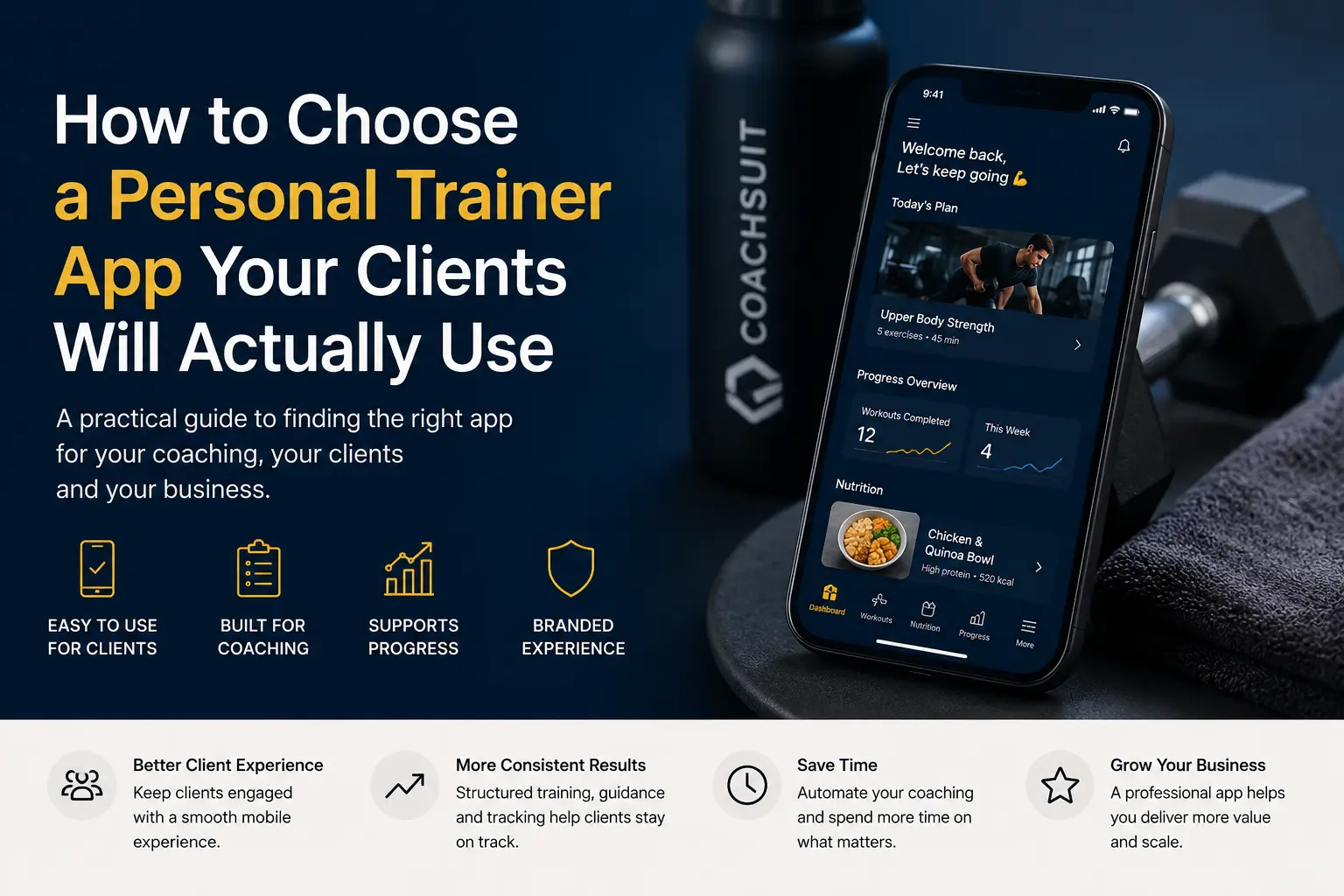
Many personal trainers compare apps by feature lists, admin dashboards and pricing tiers. That makes sense from the coach side, but clients rarely evaluate software the same way.
Clients do not open your app to admire how many modules you enabled. They want to know what to train today, how to do each exercise and where to find the plan without asking you to resend files.
The best personal trainer app clients will actually use is usually the one that reduces friction, not the one with the longest product page. Usability, clarity and mobile access matter more than feature volume once coaching content is live.
This guide explains how to choose a personal trainer app from the client experience point of view, so you can evaluate whether an app for personal trainers will work in real weekly use.
Start with the client, not the feature list
A long feature list does not automatically create a better client experience. Some apps look complete in a demo and still feel confusing when a client opens them before a workout.
Clients care about clarity, convenience and confidence. They want to understand the plan, find guidance quickly and feel organized between sessions. A good fitness coaching app should reduce friction instead of adding another tool they forget to open.
Before you compare platforms, ask a simple question: does this app make the client journey easier? If clients still rely on messages, PDFs and saved screenshots because the app is hard to navigate, the feature list did not solve the real problem.
If you are evaluating options for a personal trainer app, start with how clients will use it on a busy weekday. That perspective keeps the decision focused on client experience rather than admin convenience alone.
Can clients find their workouts quickly?
Workout access is one of the most important parts of any app for personal trainers. Clients should not have to search through message threads, email attachments or random folders to find today's session.
The workout should be easy to open before training and easy to follow during training. If a client needs three taps, a password reset and a message to you just to locate the plan, daily use will drop quickly.
Programs should be organized by day, week or phase where relevant. A client-friendly personal trainer app gives clients a clear home for the current program instead of a pile of disconnected files.
Structured workout program delivery helps clients know where to start and what comes next. That clarity supports consistency without turning every session into a support request.
Is the program structure easy to understand?
A client-friendly app should make the training plan clear at a glance. Clients should understand program length, weekly schedule, workout names, exercise order, sets, reps, training notes, equipment needed and progression where relevant.
When structure is weak, clients ask the same questions repeatedly: which workout is today, how many sets, what equipment do I need, what happens next week. Those questions are normal at the start, but they should decrease as the app becomes familiar.
Strong structure helps clients follow the plan without relying on you to reinterpret it every few days. Workout names should be recognizable, exercise order should match how clients train and notes should explain intent without turning each session into a long document.
If you are still comparing delivery formats, Online Coaching App vs PDFs and WhatsApp shows why structure matters once clients expect organized access instead of scattered files.
Does the app support exercise video guidance?
Exercise names alone may not be enough for online clients, travelers or anyone training away from you. Video guidance helps clients revisit instructions when they need a reminder before or during a session.
Written notes and visual guidance should sit close to the workout, not in a separate library clients have to hunt through. When guidance is one tap away from the exercise list, clients are more likely to use it.
This is especially useful when clients train in different gyms, follow hybrid coaching or need a reference point between check-ins. Good exercise video guidance supports understanding and consistency, but it does not replace live coaching or hands-on form correction.
Keep expectations realistic. Video and written cues help clients follow the plan you built. They are not a substitute for medical advice, injury prevention claims or real-time technique coaching.
Is nutrition content simple enough to use?
Some clients value simple nutrition content alongside training. Recipes and meals can support the coaching experience when they fit your offer, qualifications and scope.
Overcomplicated nutrition systems can create friction. If clients expected training support and suddenly face detailed food logging screens, they may ignore the feature entirely or feel the app does not match what they bought.
The app should match the trainer's qualifications, scope and promise. If you share practical food ideas in coaching, the mobile experience should reflect that same level of simplicity rather than forcing clients into tools you do not use.
CoachSuit supports recipes and meals as nutrition content inside the app. It is not presented as meal plan generation, macro tracking or calorie tracking. Choose nutrition modules only when they fit what you actually deliver.
Can clients see their progress without confusion?
Progress visibility should help clients understand what they have done, not feel like extra admin work. Useful progress can include completed workouts, training history, logged activity or body metrics depending on your setup.
Clients do not need a complex analytics dashboard to stay organized. They need a clear view of activity that connects back to the program they are following. If progress feels disconnected from workouts, many clients will ignore it.
Progress tracking supports organization and coaching conversations, but it does not guarantee results. A practical client progress tracking feature should be easy to review on mobile and aligned with how you already run check-ins.
For a broader look at what coaches often evaluate beyond usability, see Personal Trainer App Features. That article focuses on feature needs from the coach side, while this guide stays centered on client use.
Does the app feel like part of your coaching business?
A generic tool can work, but it may feel disconnected from the coaching relationship clients pay for. When the app looks like a third-party platform instead of part of your service, clients may treat it as optional.
A branded fitness app can make the experience feel more consistent. Branding can include logo, colors and visual identity that match how you present your business elsewhere.
Brand consistency matters more when you want a professional client-facing experience, especially for premium coaching, online programs or hybrid offers where clients interact with your content between sessions.
Branding does not guarantee trust, retention or revenue on its own. It can, however, make the app feel like part of the coaching service rather than a borrowed tool. Explore a branded fitness app when presentation is part of your offer, and read Branded Fitness App vs Generic Coaching App for a broader comparison.
Is the app easy enough for non-technical clients?
Some clients are not tech-savvy. They may feel confident in the gym but hesitant with new apps, logins or nested menus. If an app requires too many steps, clients may stop using it even when the training content is strong.
Good fitness app usability means fewer clicks, clear navigation and obvious next steps. Clients should understand where today's workout lives, how to open exercise guidance and how to review recent activity without a tutorial every week.
The first week matters because that is when the habit starts. If onboarding feels confusing, clients often fall back to messages and saved PDFs because those paths feel familiar.
A strong fitness mobile app experience should work well on the phone clients already carry. Mobile-first design is not a bonus feature for coaching delivery. It is often the main way clients interact with your program.
Does the app match your coaching model?
Different coaching models need different app setups. A platform that fits one trainer may feel unnecessary for another, even when both sell workout programs online.
Consider how you actually deliver coaching today: 1:1 coaching, online coaching, hybrid coaching, ready-made programs, personalized programs, gym-based support or group programs. Each model places different demands on workout access, guidance and progress visibility.
The app should support your coaching model, not force you into a workflow that does not fit. A coach running highly personalized 1:1 support may need flexible program updates. A coach selling repeatable digital programs may need clear navigation and consistent structure above all else.
If online delivery is central to your business, review whether the online coaching platform experience matches how clients train between touchpoints. For broader selection criteria beyond client usability, How to Choose a Personal Trainer App covers evaluation from the coach and business side.
What app features do clients usually ignore?
Clients are less likely to use features that are too complicated, not connected to the program, hidden deep inside the app, not explained during onboarding, not updated by the coach, added only because competitors have them or too time-consuming for the value they provide.
This happens often when trainers enable modules because a sales page looked impressive, not because clients asked for them. A nutrition section nobody maintains, a progress view nobody explains or a community area with no activity can make the app feel unfinished.
A smaller set of useful features is better than a bloated app nobody uses. Clients return to tools that solve immediate problems: today's workout, exercise instructions, simple food ideas if included and a clear record of what they completed.
When comparing platforms, focus on weekly use rather than total feature count. An app clients open three times per week with five relevant modules beats an app with twenty modules they never find.
Personal trainer app usability checklist
Use this checklist when you demo an app, talk to a provider or review your current client workflow. It keeps the conversation focused on real client behavior rather than marketing language.
- Can clients find today's workout quickly?
- Is the weekly program easy to understand?
- Are exercise videos close to the workout?
- Are instructions clear?
- Is progress easy to review?
- Is nutrition content simple and relevant?
- Does the app work well on mobile?
- Does the app feel connected to your brand?
- Can a new client understand it in the first week?
- Does it support your actual coaching model?
- Can you maintain the content consistently?
What makes a personal trainer app easier for clients to use?
This table summarizes the client-side priorities that matter most in daily use. It is a quick reference when you compare apps or decide which modules to include at launch.
Where CoachSuit fits
CoachSuit is built for trainers, online coaches and gyms that want a branded mobile app experience. Depending on selected modules, it can help deliver workouts, programs, exercise guidance, recipes, meals and recorded progress through a client-friendly app structure.
It can personalize the app around your logo, colors and visual identity, which is useful when you want a more structured client experience than scattered files, messages or generic delivery. CoachSuit for personal trainers is often relevant when clients need clear workout access, exercise guidance and a consistent brand on iOS and Android.
CoachSuit includes initial design personalization and launch support, with ongoing maintenance and priority support available through CoachSuit Club. A typical launch takes 2-4 weeks depending on selected modules, content preparation and feedback speed.
It may not be necessary for someone who only needs a simple PDF or spreadsheet to test an early offer. If you want a white-label fitness app for structured coaching delivery, review pricing and launch options or book a free demo to discuss modules and branding direction.
Final takeaway
Clients use apps that make coaching easier to follow. They care about finding today's workout, understanding the plan, revisiting exercise guidance and staying organized between sessions.
A personal trainer app should make workouts, guidance, content and progress easier to access on mobile. Feature lists matter less than usability, clarity and how well the app fits your delivery model.
The right app depends on your offer, your clients and how you coach. Evaluate options from the client experience first, then review branding, modules, launch support and maintenance with the same practical mindset.
If you want help comparing next steps, use the checklist above, review related guides and choose the platform that supports how your clients actually train.
Personal trainer app usability FAQ
- What makes a personal trainer app easy for clients to use?
- A personal trainer app is easier for clients to use when workouts are easy to find, program structure is clear, exercise guidance is close to each workout and progress is simple to review.
- What features should a personal trainer app have?
- Useful features can include workouts and programs, exercise video guidance, simple nutrition content, progress tracking and a mobile experience that fits the trainer's coaching model.
- Do clients need a branded fitness app?
- Not always. A generic tool can work for simple delivery. A branded fitness app makes more sense when the trainer wants a more professional and consistent client-facing experience.
- Can CoachSuit help deliver workouts and programs?
- Yes. Depending on selected modules, CoachSuit can support workouts, programs, exercise guidance, recipes, meals and recorded progress through a branded mobile app experience.
- Does CoachSuit include nutrition tracking?
- CoachSuit supports recipes and meals as nutrition content. It is not presented as a calorie tracker, macro tracker or meal plan generator.
- How long does it take to launch a CoachSuit app?
- A typical CoachSuit launch takes 2-4 weeks, depending on selected modules, content preparation and feedback speed.
Want a branded trainer app your clients can actually use?
Book a free CoachSuit demo to discuss your coaching model, app modules, branding direction and launch options.
Book a free demo